
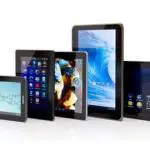
One of the newest entries to the world of business hardware is the tablet and choosing the right one (and there are plenty to choose from) can be hard, whilst there is no right or wrong, there is a risk of buying a one that isn’t suitable.
Here are a few things to bear in mind when buying a tablet to ensure you are getting all the features you need.
What operating system do you need?
What operating systems are you using already? If you are running all Apple PCs and Laptops and all your staff have iPhones, then it would make sense for your tablets to follow and get iPads. Similarly if you are using Windows PCs and Laptops with Windows based phones, then you would benefit more from a Windows tablet. The exception to this is Android which will generally run well with either Apple or Windows when it comes to PCs and Laptops but you will find that Android phones and tablets will run very well together.
How big does the screen need to be?
If you already carry a briefcase or bag for documents or even a laptop then this will maybe not be a thought. However, you may want to consider also what you will be using this for, you may find smaller screens will be more difficult if you need to type or even if you plan to read documents/web pages.
Where will you be using this?
Some screens can be difficult to see when there is too much light on them. If you regularly meet your customer away from an office environment, maybe outdoors at a cafe or restaurant then you may want to look at the Apple iPads as the retina displays they use are currently more visible in situations with direct light.
Do you have a budget?
Everything today comes with its own price. If you are on a specific budget then you may have to consider carefully the type and quantity of tablets you need, iPads and Windows tables can be quite expensive so if you only have a little budget to be a lot of tablets then you may want to look at Android as these can have relatively well priced entry level tablets.
Do you need 3G?
All tablets today have the ability to use WiFi out of the box. So if you plan to just use it in the office, maybe transfer images or documents before a meeting or even take note during a meeting then you can do that. If you plan to use it for emails whilst your out of the office or for browsing the web/anything internet related then you will need to look for a tablet that has 3G capabilities. Most if not all mobile phone networks also have plans for tablets too so if you have a company mobile on a contract you may be best discussing their options for a 3G plan too.
Is it really a tablet you want?
If you are looking for something which can run powerful programs, have a keyboard attached as well as a mouse, then you may find what you actually need is a laptop. You may find that a tablet doesn’t have apps for the software you need or that maybe it doesn’t have the space you require for your work or documents. It’s well worth checking the programs you need are available as apps in the Windows Store (Windows), iTunes Store (Apple) or Play Store (Android) before you start to look at which tablets would suit you best.
If you would like to upgrade your business Tablet, give us a call. We’ll be happy to discuss helping you find the best solution for your business.
Call us on 0345 450 7876 or use our contact form here.