Don’t let the wrong IT partner cost you more than just money. Here’s exactly what to look for.

Based on live reactions in the last 90 days

Construction Document Management

For Claims, Case Archives and Confidential Evidence Bundles

This is the deepest, most technical page in First Stop IT’s construction content, written specifically for commercial managers, claims consultants and QS teams who need to turn chaotic project files into defensible, searchable evidence bundles. What follows is an actionable guide to doing exactly that.

Construction projects generate thousands of documents requiring efficient management, from design documents and shop drawings to payment notices, expert reports and daily site records. Construction document management is the discipline of capturing, structuring, storing and controlling every one of those files so they can be relied on months or years later in adjudication, arbitration or court. It is not generic file storage. A true document management system provides version control, meta data, granular permissions and a full digital audit trail, the things that separate defensible evidence from a folder of PDFs nobody trusts.

Construction document management software centralises project documentation into a single, searchable repository. It ensures all team members work from the latest document versions, whether they sit in a commercial office or on a scaffold. Two platforms dominate the practical conversation: M-Files as the dedicated DMS option and SharePoint as the lighter-weight alternative for construction companies already running Microsoft 365.

Why traditional construction document management fails under dispute pressure

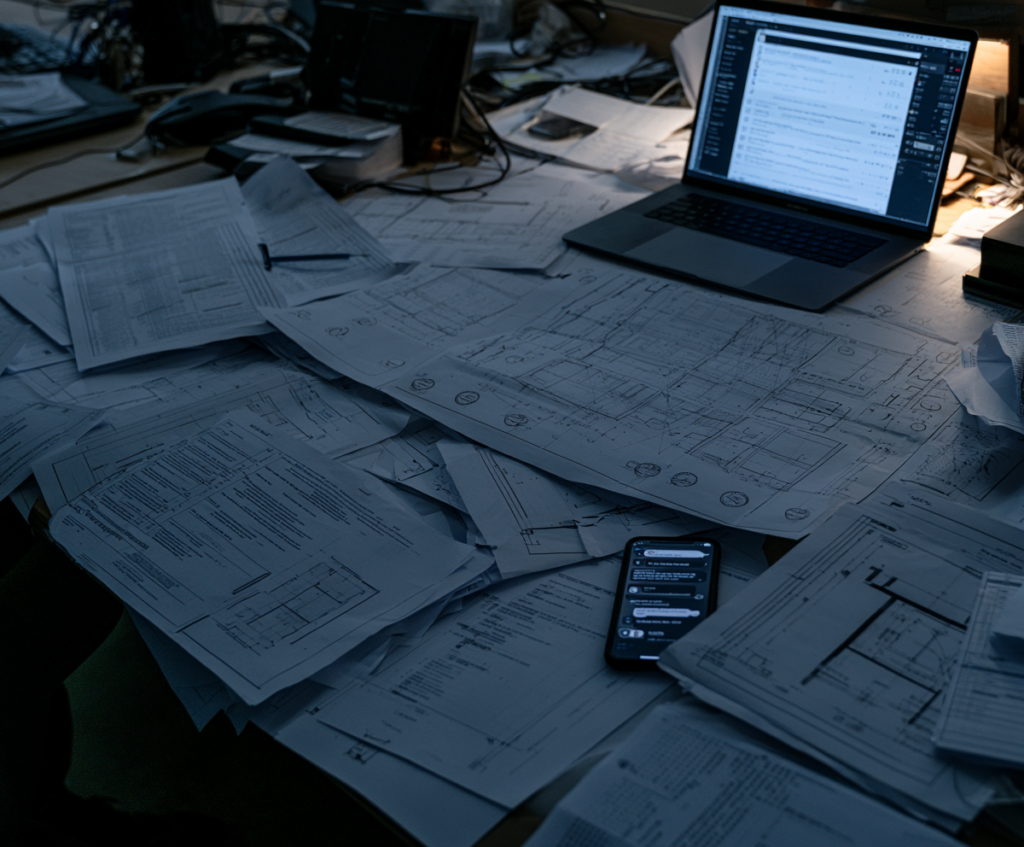
Most construction firms still rely on Outlook folders, network drives, and ad-hoc SharePoint sites during project delivery. This seems manageable initially, but issues arise when disputes occur years later. Traditional systems treat information as static, limiting usability when needed. Manual document handling is time-consuming and error-prone, and version control problems can lead to outdated information being used on site or in evidence.

Examples include missing email chains about instructions, drawings built to outdated revisions due to untracked transmittals, unsigned minutes lost when laptops are wiped, and undated WhatsApp photos lacking context.

These gaps matter. Without a single source of truth, errors from disjointed information sources occur. Most legacy setups lack this, causing delays assembling evidence for adjudication. The Building Safety Act 2022 demands a "golden thread" of accurate digital building information for higher-risk buildings. Robust construction document control software that withstands scrutiny from experts, insurers, and regulators is now essential.

Core principles of construction document control for projects and claims

Effective document control for construction projects and claims rests on a handful of non-negotiables:

Centralised storage

One repository per project where contracts, project drawings, RFIs, site records, test results and correspondence all live. Cloud storage allows for centralised document access, and centralising documents in a cloud based system reduces errors and costs. Centralised document access enhances compliance and audit readiness.

Consistent classification and meta data

Every construction document must carry enforced metadata: project ID, package, discipline, originator, date, revision, status. Standardized naming conventions improve document organization and retrieval, especially when building or defending a claim years later. Document registers provide the index that makes retrieval possible.

Strict version control

Only the up to date version of each drawing or specification should be visible to site teams, with previous versions automatically archived. Version control ensures only the latest approved documents are used on site. Version control prevents outdated documents from being used, avoiding costly rework and costly mistakes.

Access control and confidentiality

Establishing clear permissions helps protect sensitive document integrity while enabling collaboration. Open information like issued architectural drawings must be separated from restricted records such as settlement offers, expert reports and commercially sensitive third-party documents.

Complete audit trail

An audit trail logs all document actions for compliance and accountability. Every upload, edit, approval and download must be time-stamped and tied to a named user.

The construction document management process: from live project to case archive

Construction document management organises documents throughout the entire project lifecycle: pre-contract (tenders, warranties), delivery (design, build, site records), completion (handover, snags, certificates), defects period, and potential disputes or final accounts.

Documents are categorised by type, phase, and discipline for easy access. Design teams issue drawings; site teams generate logs and inspections; commercial teams handle payment notices and valuations; external parties provide formal letters and reports.

A document management system supports intake, classification, review, approval workflows, controlled distribution, and updates. Workflow automation speeds approvals and reduces manual effort. Document management systems can cut RFI turnaround from days to hours.

At practical completion, final document versions are archived for handover, creating a locked case archive. This archive remains searchable to assemble evidence bundles years later without relying on memory. The same structure that supports project delivery also supports later evidence needs with minimal extra effort.

Types of construction documents that matter most for evidence bundles

Certain classes of key documents consistently decide the outcome of adjudications, arbitrations and insurance claims. Construction document management software should make it straightforward to group these diverse files into coherent, chronologically ordered bundles for a specific issue, whether that is delay to piling works in Q4 2022 or façade defects discovered in May 2024.

Contractual and design records

Contractual and design records include contract forms (JCT, NEC), appointments, warranties, construction drawings, BIM models, specifications and design change records. These establish what was agreed and what was built.

Commercial and QS artefacts

Commercial and QS artefacts cover valuations, payment notices, pay-less notices, compensation event records, loss and expense submissions, project schedules, and programme comparisons (baseline vs actual). Document management systems maintain approval histories and revision logs for compliance and audits.

Project communication

Project communication encompasses meeting minutes, email correspondence, RFIs, formal instructions, marked-up project drawings, snagging lists and photographs. Real-time updates on documents reduce misunderstandings among project stakeholders, but these records must also be preserved for evidence.

Site control and contemporaneous records

Site control and contemporaneous records include daily diaries, weather logs, delivery records, inspection reports, test certificates, health and safety files, and records confirming verbal instructions in writing.

Expert and third-party evidence

Expert and third-party evidence covers specialist reports, fire safety assessments, insurers’ correspondence and privileged legal advice. Regular document audits identify issues and maintain document quality throughout a project, ensuring compliance across all these categories.

Audit trails, chain of custody and protecting confidential third-party records

A digital audit trail logs every action on a construction document, including upload, edit, approval, issue, view, and download, along with the user, date, and time. This ensures compliance and accountability, which is crucial for managing claims and disputes. Proving when a drawing was issued or a notice served can determine liability for delays, defects, or safety incidents.

Chain of custody is vital for sensitive information such as expert reports, insurers’ correspondence, privileged legal advice, and confidential third-party documents under NDA. Document management systems provide real-time access for authorized users and mobile access for field teams, but access to privileged material must be tightly controlled.

A robust system offers immutable logs, configurable retention rules, and secure case workspaces to segregate confidential material. Controlling access and planning secure disposal at the end of a case is as important as storage.

Example

In a cladding defect claim, audit trails showing who accessed a fire engineer’s report and when helped rebut claims that the issue was unknown after the defect liability period. Without this, the claim would have failed.

Choosing construction document management software: M-Files vs SharePoint

Many construction firms using Microsoft 365 choose between configuring SharePoint or adopting dedicated software like M-Files.

M-Files

M-Files is a metadata-driven platform built for strict document control. It offers automatic versioning, enforced naming conventions, automated workflows, powerful search, granular permissions, and deep audit trails. It suits firms managing complex case archives, evidence bundles, and confidential records, with reported 50% faster document retrieval and less administrative work.

SharePoint

SharePoint is a general collaboration and file storage platform that, when configured with content types, metadata libraries, and permissions, provides centralised storage, basic document control, and integration with Teams and Outlook. Many firms use it for sharing project drawings with fabricators and contractors.

Selection criteria for claims and QS teams include enforcing naming conventions, capturing emails into case files, supporting matter-based workspaces, managing NDA documents, and accessing historic project data without manual searching. Cloud-based systems enable real-time access across office and field teams, enhancing project delivery speed.

Ongoing support is vital: keeping search fast as archives grow, managing licenses, and upgrading without disrupting live cases. A good system supports version control and audit trails at scale. Centralised document management improves collaboration among stakeholders only if performance remains strong as data accumulates. Effective document management reduces errors and improves compliance.

Implementing a DMS for construction projects, claims and QS teams

A practical implementation roadmap for construction teams looks like this:

Discovery

Audit current document management habits. Map where project documents actually live: network drives, email inboxes, personal laptops, paper files. Interview QS and commercial teams about past disputes to identify what was missing or hard to find. Document management software enhances regulatory compliance in construction, but only if the system reflects how your teams actually work.

Design information architecture

Create project workspaces, case or claim workspaces, standard folder patterns, metadata sets (project, issue, discipline, contract reference, date range) and security groups. The software improves collaboration among construction teams and multiple teams when the structure is right.

Change management

Appoint a document controller or information manager. Train construction managers, project managers and site teams on simple rules: where important documents go, how they are named, tagged and approved. Embed these rules in project kickoff processes. Consistent organisation of documents allows for easier access and improves project workflows.

Secure remote access

Claims and QS teams increasingly need to work from home, from counsel's offices or on site. Plan remote access (RDS or cloud-based) alongside the document structure, not as an afterthought. Mobile access ensures field execution is not disconnected from the document system, and instant access to the latest version of any file supports faster decision making.

Pilot and roll out

Start with a small portfolio of live projects and active disputes. Test workflows for RFIs, instructions, approvals and evidence bundle production. Approve documents through the system, share documents across project teams, and store documents against specific tasks. Refine, then scale. Real time collaboration and real time access across the entire team are the benchmarks for success.

01
02
03
04
05

From live project files to long-term case archives and legacy evidence

Construction firms face latent claims that surface years after project completion: façade defects, water ingress, structural movement. Tens of thousands of files from projects completed between 2000 and 2018 sit on ageing network drives, often needed when historic defects emerge but rarely in any usable state. Effective document management reduces errors and improves project outcomes, but only if legacy project information is accessible.

A modern DMS can ingest these legacy construction documents, apply bulk meta data tagging, and convert them into searchable, structured case archives. This addresses real operational needs: assembling evidence bundles for disputes about fire stopping, cladding or MEP failures long after original team members have left the business.

A unified archive delivers consistent document control across old and new projects, quicker responses to insurer or regulator information requests, and reduced risk of lost or inaccessible evidence. It also needs proper backup and business continuity behind it. Irreplaceable case files should be recoverable if a server fails, with a clear plan for replacing ageing infrastructure. Outdated versions and outdated information stored on forgotten drives help nobody; up to date, structured archives help everyone and prevent cost overruns when disputes arrive.

Good construction document management is as much about future-proofing as delivering today’s projects. Investing in M-Files or structured SharePoint now pays off when the next major claim arrives, ensuring compliance with quality management standards and industry standards across the construction lifecycle.

Conclusion: turning construction documents into reliable project intelligence

First Stop IT holds Cyber Essentials, IASME Cyber Assurance (Gold), NCSC Assured Service Provider status, is a Microsoft Partner and has been named a Top 50 UK MSP three years running, supporting construction and trades businesses from our Harlow and Bishop’s Stortford base since 2002. Proving strong data security, backed by credentials like IASME Cyber Assurance as a step beyond Cyber Essentials, is itself something claims consultancies and construction firms can use to win work. For the wider security picture, see our IT Support for Construction Companies page and our Cyber Security and Cyber Essentials for Construction page.

Why First Stop IT

Frequently Asked Questions

What's the difference between M-Files and SharePoint for construction document management?

M-Files is a dedicated document management system built for firms with heavy case-archive or claims-management needs, offering enforced metadata, deep audit trails and secure workspaces. SharePoint is the lighter-weight option many construction firms already run inside Microsoft 365, suitable for general digital document management when properly configured with governance and naming conventions.

Ongoing search performance depends on proper indexing, a well-designed meta data structure and regular licensing reviews. As archives scale to tens of thousands of files, periodic health checks, duplicate purging and infrastructure upgrades keep retrieval times acceptable.

Yes. Legacy ingestion typically involves bulk upload, bulk metadata tagging, OCR scanning of paper records and conversion of older file formats. The result is a searchable, structured case archive instead of an unmanageable folder tree, and it can help improve collaboration across teams who need access to historic evidence.

Absolutely. Clients and insurers increasingly ask about data security and document control in due-diligence questionnaires. Holding credentials like Cyber Essentials or IASME Cyber Assurance, backed by a best document management software setup, demonstrates the governance that wins tenders and retains contracts.

Ready to Turn Project Files into Defensible Evidence?

Whether you’re structuring document control on a live project or converting years of legacy files into a searchable, defensible case archive, we’ll get you there without disrupting delivery. We design the folder structure and metadata, migrate and tag your historic records, and set up secure remote access so commercial, claims and site teams can find the right document in seconds, not weeks. When a dispute or defect claim surfaces years later, you’ll have a complete, confidential evidence bundle ready to hand over, not a scramble through old network drives.

Related Articles About Construction Document Management

How do you set up secure remote working for a small consultancy?

How do you set up secure remote working for a small consultancy?

Remote Desktop Services let staff work in the office environment from anywhere while confidential data stays on the server, protected with MFA and managed devices, sized to perform well, part of managed IT at about £45 to £100 per user per month.
How do you control who can access confidential case data?

How do you control who can access confidential case data?

Give each person their own MFA-secured account, grant least-privilege access, use the document system's permissions to control access by client and case, keep a clear record, and remove access promptly when people leave, part of managed IT at about £45 to £100 per user per month.
How do you share large evidence bundles securely with clients and counsel?

How do you share large evidence bundles securely with clients and counsel?

Share large claim and evidence bundles through controlled, encrypted methods like SharePoint or a secure portal rather than email attachments, with protected, limited access that is removed when no longer needed, part of managed IT at about £45 to £100 per user per month.
How do you handle confidential third-party records securely?

How do you handle confidential third-party records securely?

Keep third-party data in a managed, protected environment, separate each engagement, limit access to those who need it, work under clear confidentiality and NDAs, and dispose of it properly at the end, part of managed IT at about £45 to £100 per user per month.
How should a claims consultancy organise and index its case records?

How should a claims consultancy organise and index its case records?

Keep case records in one managed document system, structured consistently by client and case, tagged with useful metadata and full-text-indexed so contents are searchable, so every document is findable in seconds, part of managed IT at about £45 to £100 per user per month.
How should a construction claims consultancy choose an IT provider?

How should a construction claims consultancy choose an IT provider?

Choose an IT provider with real document management (M-Files/SQL) experience, who handles confidential data securely, delivers secure RDS remote working, supports Cyber Essentials/IASME and prices clearly per user, typically about £45 to £100 per user per month.
Why should a construction consultancy get Cyber Essentials?

Why should a construction consultancy get Cyber Essentials?

Cyber Essentials certifies the five controls that stop most attacks; for a data-rich consultancy it cuts real risk and, increasingly, is required by clients and insolvency practitioners before they share confidential data, achieved and maintained as part of managed IT at about £45 to £100 per user per month.
What cyber security does a small construction consultancy need?

What cyber security does a small construction consultancy need?

A small consultancy needs MFA everywhere, managed email and endpoint protection, allowlisting, patching, tested backups, awareness training and a password manager, ideally Cyber Essentials, because holding confidential data makes it a target, part of managed IT at about £45 to £100 per user per month.
How do you securely receive confidential client and third-party data?

How do you securely receive confidential client and third-party data?

Receive confidential data through encrypted SFTP, secure data rooms and VPN with MFA rather than email, then store and work on it within your managed, secured environment and control and dispose of it properly, part of managed IT at about £45 to £100 per user per month.
Why is our document management search slow, and how do you fix it?

Why is our document management search slow, and how do you fix it?

Slow or timing-out document search usually traces to an under-resourced server, an unmaintained SQL database or search index, or a sprawling vault, all fixable with the right resources, maintenance and housekeeping, part of managed IT at about £45 to £100 per user per month.