



Bonded 4G/5G routers
Deploy same-day, pull signal from multiple mobile networks (EE, Vodafone, O2, Three) for redundancy and speed. 4G/5G broadband is the most common choice for temporary sites.



Don’t let the wrong IT partner cost you more than just money. Here’s exactly what to look for.
Don’t let the wrong IT partner cost you more than just money. Here’s exactly what to look for.

Based on live reactions in the last 90 days
Most UK construction sites can now be fully online within days, not weeks. Here’s how to choose the right solution, what it costs, and how to get it deployed before your team arrives on site.
Construction sites often lack fixed broadband availability. Waiting 6-12 weeks for a traditional fixed line broadband connection while your team sits idle isn’t an option. The good news: most sites can have a working internet connection within 24-48 hours using wireless technology, with no fixed telephone line required for construction site internet.
Deploy same-day, pull signal from multiple mobile networks (EE, Vodafone, O2, Three) for redundancy and speed. 4G/5G broadband is the most common choice for temporary sites.
Point-to-point radio link from a nearby mast, delivering near-fibre speeds within days where line of sight exists.
Low earth orbit satellite systems like Starlink, ideal for rural sites with weak mobile signal, live within 48 hours of hardware arrival.
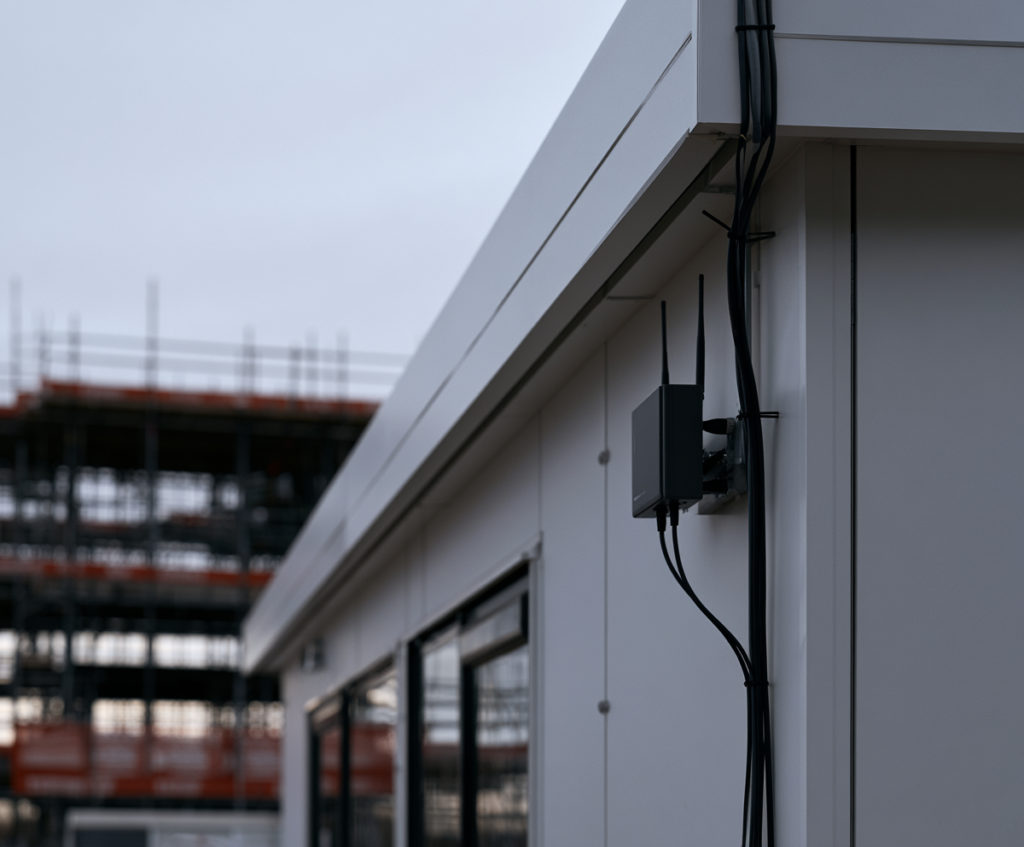
A managed construction site broadband kit typically includes a rugged router, external antennas for stronger reception, pre-configured SIMs from multiple UK networks, and pre-set WiFi for your cabins. Installation can be completed within 48 hours after assessment. No fixed lines needed.
If you’re starting a new site compound next Monday, you’ll want 4G/5G or FWA first, and only order fixed fibre if the project runs 9-12+ months.
Two real scenarios: A 32-week housing development in rural Kent would typically start with Starlink as primary and bonded 4G failover, shifting to fixed fibre once available around week 6-8. A 10-week city-centre refurbishment with 30 users would run entirely on a bonded 5G router with an external antenna, delivering speeds well over 100 Mbps.
This is exactly the “get a new site office online this week” problem we solve for construction and trades clients across Essex, Hertfordshire, London and the East of England, designing, delivering, and monitoring day-one connectivity so your team hits the ground running.
Construction sites are digital workplaces. From first break of ground to final handover, nearly every task depends on reliable internet connectivity. Poor connectivity can delay communications and project delivery, and those delays compound fast. Here’s what depends on a stable broadband connection across the full project lifecycle:
Cloud-based drawings, BIM model sync, and common data environments (CDEs).
Microsoft 365, Google Workspace, email, and video conferencing via Teams or Zoom.
Digital RAMS, permits to work, online H&S inductions, and snagging tools.
CCTV streaming, access control, time-lapse cameras, and environmental sensors.
Multiple systems often compete for bandwidth on construction sites, making reliable broadband essential rather than optional. Reliable internet is also essential for health and safety compliance, where digital permit systems and audit trails must remain accessible.
Poor connectivity can delay project delivery and increase costs in ways that are easy to underestimate. Consider a 20-person site team losing just one hour per day to unreliable internet over a 26-week programme. That’s roughly 130 labour-days, or around 1,300 person-hours of lost productivity, easily costing tens of thousands of pounds in wages alone, before accounting for knock-on programme delays and potential liquidated damages.
Fast internet supports real-time reporting and decision-making. Construction site WiFi enables seamless collaboration across construction teams, site offices, and head office. Nearly all firms across the construction industry are now increasing digital spend and expect reliable connectivity on every new job. Getting this wrong on day one puts everything else at risk.
A live construction environment is one of the hardest places to maintain a stable broadband connection. Generic home routers and consumer dongles rarely cope. Here’s why:
Temporary site offices and metal containers block Wi-Fi and cellular signals, acting like Faraday cages and killing coverage inside.
Compounds move mid-project, welfare cabins get added or removed, and phase-by-phase expansions change the physical environment. Construction sites require flexible WiFi solutions due to changing layouts.
4G/5G signal strength varies hugely by site location and network. Dense urban areas suffer congestion; remote locations may have no coverage at all.
Heavy plant, welding equipment, generators, and lighting rigs can degrade wireless signals. Wireless coverage planning needs to consider physical barriers like concrete and steel.
Open SSIDs, shared passwords across contractors, and no network segmentation create cyber risk. Using separate networks for staff, guests, and devices enhances security. This is also where a construction site’s WiFi setup connects to the wider cyber security picture covered on our Cyber Security for Construction Companies page.
MiFi dongles and basic routers lack external antenna ports, offer no failover, no remote monitoring, and can’t handle 30-80 concurrent users running cloud software, CCTV, and VoIP simultaneously.
There’s no one-size-fits-all solution for construction site broadband. The best option depends on site location, project length, data needs, and user count. Here’s a quick comparison:
Deploy rapidly (24-72 hours), using multiple mobile networks for load balancing and failover. They offer speeds over 100 Mbps, with 5G reaching up to 500 Mbps where coverage is strong. Ideal for short to medium-term projects or sites without fixed broadband. Often combined with cellular, satellite, and mesh tech for full coverage.
Suits locations with line of sight to a mast, delivering near-fibre speeds (100 Mbps to 1 Gbps) within days. Best for city-centre or industrial sites.
The choice for remote sites lacking cellular coverage. Low earth orbit satellites provide speeds up to 50 Mbps in tough conditions and up to 250 Mbps in good conditions, with latency around 20-50ms.
FTTC, FTTP and leased lines offer top speeds up to 1 Gbps or more but require 6-12 weeks to install, making them unsuitable for immediate needs.
Project examples: A 10-week refurb uses 4G/5G; a 12-month campus starts wireless then adds fixed fibre; a remote site relies on satellite with 4G backup. 4G/5G solutions commonly deliver over 100 Mbps for most UK sites.
Planning site connectivity across the whole project lifecycle prevents gaps and wasted spend. Think of it as two phases: a day-one solution and a steady-state solution.
Mobilisation phase: During enabling works, demolition, and early groundworks, temporary WiFi can be deployed quickly for short-term projects using 4G/5G routers or satellite. This is pure operational expenditure, flexible contracts with no long term contracts required, and the kit moves when you do. Internet solutions can scale as project needs evolve, with additional access points or bandwidth added as headcount grows.
Steady-state phase: For construction projects running 9-12 months or longer, ordering fixed fibre or a leased line early makes sense. Once installed, the fixed connection becomes primary, with 4G/5G or satellite retained as resilient backup for business continuity. This hybrid approach gives you the seamless transition from temporary to permanent without downtime.
A 2026-2028 phased regeneration scheme might deploy bonded 4G across three initial site offices during month one, bring FWA online by month three as the compound stabilises, and commission FTTP by month six for the main project office. Construction site internet solutions can adapt to changing layouts as phases progress. The wireless kit stays active as failover throughout.
Financial planning: Flexible contracts aligned with project milestones let you avoid early termination charges. QS teams should budget connectivity across mobilisation, operational, and demobilisation phases, treating reliable broadband as a risk mitigation cost rather than an afterthought.
Getting internet to site is only half the problem. Designing usable WiFi coverage across site offices, welfare units, and working areas is where most setups fall short. Construction site WiFi must be designed for specific operational demands.
Whether you have stackable cabins, a linear compound, or dispersed welfare units, each steel structure needs its own access point inside. Site surveys help identify optimal Wi-Fi access point locations before you install units on site. Access points can be repositioned as work areas shift during later phases.
For full site coverage across larger construction sites, outdoor weatherproof access points mounted on poles or cabin rooftops provide wifi hotspots to working areas, laydown zones, and entrance gates. Mesh Wi-Fi systems can expand coverage across large construction sites, adapting as cranes, hoists, and scaffolding change the landscape.
Creating VLANs helps to segment site traffic for better management. Separate SSIDs for office staff, subcontractors, visitors, and IoT devices (CCTV, access control, sensors) keep critical systems protected and prevent construction workers streaming video from choking bandwidth for BIM uploads.
Capacity planning. Network capacity planning must account for worker and device counts. A typical busy site might have 20-100+ concurrent devices, from laptops and tablets to phones and CCTV cameras. Construction site WiFi can support up to 200 wireless devices with properly specified hardware and multiple access points. Bandwidth-heavy applications like Teams video conferencing, BIM model sync, and live CCTV need priority.
Site safety. Avoid trip hazards from temporary cabling, use weatherproof housings for all outdoor equipment, and plan for maintaining coverage during compound moves.
Even a few hours of downtime during a critical pour, crane lift, or client inspection can cause programme slippage. Uninterrupted connectivity isn’t a luxury; it’s a project requirement.
Resilience measures:
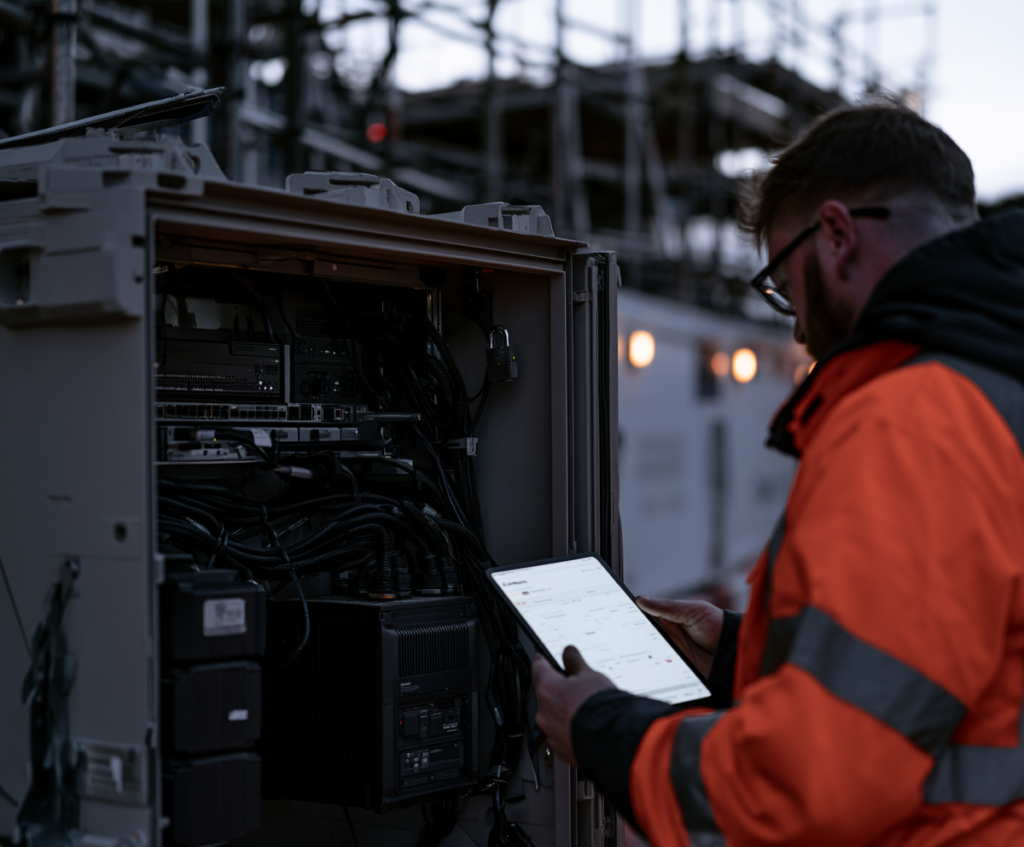
Remote monitoring gives you constant connection visibility. 24/7 alerts flag if a router or access point drops offline, enabling proactive bandwidth optimisation and firmware updates scheduled outside working hours via a web based portal. Reliable Wi-Fi on construction sites requires robust and flexible solutions backed by active management, not just hardware left in a cupboard.
Actual construction site broadband costs vary by location, data needs, and contract length. Project managers can budget using straightforward bands.
Key cost drivers: project duration, bandwidth (50 Mbps vs 500 Mbps), number of users, static IP needs, security or remote monitoring add-ons, hardware requirements based on signal strength.
Setup hardware – small to medium sites using bonded 4G/5G
Setup – larger sites with satellite, FWA, or multiple cabins
Managed service – router, data, support, and monitoring included
Professional installation uses external antennas for better coverage; simpler setups offer DIY plug-and-play units. Satellite broadband adds £100-£200/month. Leased lines for long-term projects cost more but provide high-speed, symmetric connections.
Demobilisation: Budget for equipment collection, SIM cancellation, and data wiping. Flexible rolling contracts suit short refurb jobs; longer terms fit typical projects, with extensions and moves handled mid-programme.
Tendering: QS teams should include connectivity as a line item across mobilisation, operational, and demobilisation phases, treating it as essential business continuity rather than an IT afterthought. Professional installation ensures the right solution from day one.
Here’s a practical checklist for project managers opening a new construction site or temporary compound. Construction sites often need quick deployment of network solutions within hours, and a structured process makes that possible.
Gather core details: site address and postcode, start and expected completion dates, cabin layout drawing, power availability dates, headcount per phase, and systems needing connectivity (CCTV, access control, cloud systems, internet and telephone services). The more detail upfront, the faster deployment goes.
Run coverage checks for 4G/5G signal strength and FWA line-of-sight at your postcode. Evaluate satellite visibility if it's a remote site. Confirm which mobile networks perform best at that specific location and choose primary and backup connectivity solutions. A pro wifi professional installation starts with this assessment.
Plan router and antenna locations, WiFi access point positions inside each cabin, SSID structure, VLANs for office versus contractors versus IoT, and bandwidth allocation for critical systems. This is where site wifi design separates from just plugging in a router.
Pre-configure all equipment off-site. Deliver and install 24-48 hours before the site office goes live. Test speeds from inside cabins, confirm site coverage across all required areas, and verify failover is working. Seamless connectivity from the moment your team arrives.
Enable remote monitoring with 24/7 alerts. Provide a clear escalation route for site teams. Define how connectivity will flex as more cabins, cranes, or phases are added, or when the compound moves. Flexible connectivity means the network grows with the project.
WHO DELIVERS THIS
First Stop IT has supported SMEs across Essex, Hertfordshire, London and the East of England for over 20 years, based in Harlow and Bishop’s Stortford since 2002. Named a Top 50 UK MSP three years running, we manage over 2,000 endpoints across 50 companies.
Site connectivity is one component of the Essential, Core, and Secure IT support tiers described on our main IT Support for Construction Companies page. It matters most for general contractors, trades businesses, and building services or M&E contractors who move between sites regularly.
Here are the questions we hear most from construction companies planning internet for construction sites.
Most UK sites can be online within 24-72 hours using 4G/5G or FWA. Satellite broadband for a remote site typically takes a few days once hardware arrives. Only fixed fibre requires longer lead times of 6-12 weeks, and that’s optional for long-term projects.
Yes. Bonded multi-SIM routers with external antennas regularly deliver 50-300 Mbps. That comfortably supports 20-60 staff running cloud platforms, CCTV, VoIP, and digital tools simultaneously. Construction sites can achieve 4G speeds over 100MB even in moderate coverage areas.
Properly designed broadband solutions are built for this. Relocating a portable setup typically takes a few hours with minimal downtime, maintaining seamless connectivity throughout compound moves.
Equipment is collected, SIMs cancelled, and data wiped where applicable. With flexible contracts and no long term contracts required, you only pay for what you use. Clean handover, no trailing costs.
No. A managed service covers design, deployment, remote monitoring, and ongoing support. Your construction teams just use the network like they would in a finished office. Telephone services and connectivity are handled for you.
If you’ve got a site opening coming up and need reliable broadband from day one, book a short discovery call to talk through what you need. No obligation, just a practical conversation about getting your team online.
This website uses cookies to improve your experience. Choose what you're happy with.
Required for the site to function and can't be switched off.
Help us improve the website. Turn on if you agree.
Used for ads and personalisation. Turn on if you agree.